Taperlark / Native Mac apps

Control your Mac’s
fans and audio.

Shape how your fans respond with CoolCurve. Give each app its own volume and output with Submix. Try every feature free for 7 days, then buy once.

Explore all apps
001CoolCurve
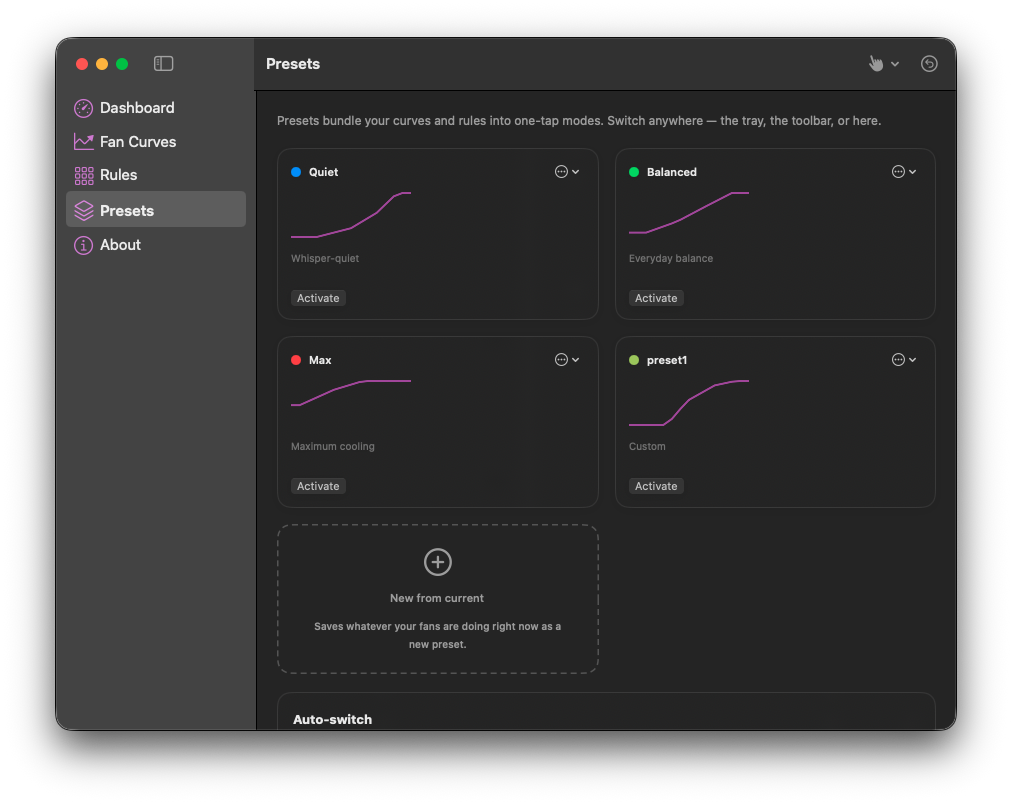
CoolCurve’s Presets view showing Quiet, Balanced, Max and a saved custom preset, each with a curve preview, plus New from current.

Your Mac’s fans. Your temperature curve.

Set your fans to respond earlier as your Mac warms up, or adjust their speed directly from the menu bar. CoolCurve brings temperature monitoring, manual control and custom fan curves to Apple Silicon Macs.

Free: Temperature and fan monitoring.
Paid: Automatic preset switching, Fan curves, Manual fan control, Presets, Sensor rules.

One-time license from $9.99 · 7-day full trial
002Submix
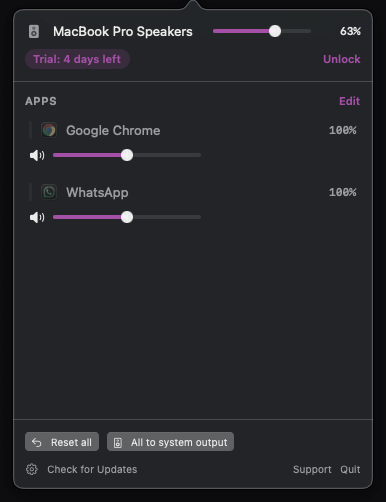
Submix’s menu bar panel: MacBook Pro Speakers at 63 percent along the top, a trial badge and an Unlock link under it, then per-app volume sliders for Google Chrome and WhatsApp, with Reset all and All to system output across the bottom.

Give each Mac app its own volume.

Turn down one app without turning down everything else. Submix puts per-app volume, mute and output routing in your menu bar, so you can keep music, a browser and your other audio in balance.

Every feature is included with a license after the trial.

One-time license from $7.99 · 7-day full trial

More from Taperlark

A little preparation before your next call.

003Preen

Check your framing from the menu bar before a call, or float your camera above every app while you record a demo. Preen gives you a live preview, a mirror and true view, snapshots and a system microphone mute.

Every feature is included with a license after the trial.

One-time license from $6.99 · 7-day full trial

Taperlark / Field notes

Latest from the journal.

How to screen record with your webcam on a Mac

Record your screen and your face at the same time on a Mac: the free QuickTime Float on Top method step by step, what Presenter Overlay does and does not cover, and a floating camera window that stays above your apps while you record a demo.

Read every note