Start cooling earlier
Choose the temperatures and fan speeds for your own curve. Set a gradual response as your Mac warms up, with the fan’s hardware limits still in place.
CoolCurve for Mac
Set your fans to respond earlier as your Mac warms up, or adjust their speed directly from the menu bar. CoolCurve brings temperature monitoring, manual control and custom fan curves to Apple Silicon Macs.
From $9.99 once · 7-day full trial · macOS 13.0 or later
The download is open to everyone. No account needed. Check compatibility and setup
Put it to work
Choose the temperatures and fan speeds for your own curve. Set a gradual response as your Mac warms up, with the fan’s hardware limits still in place.
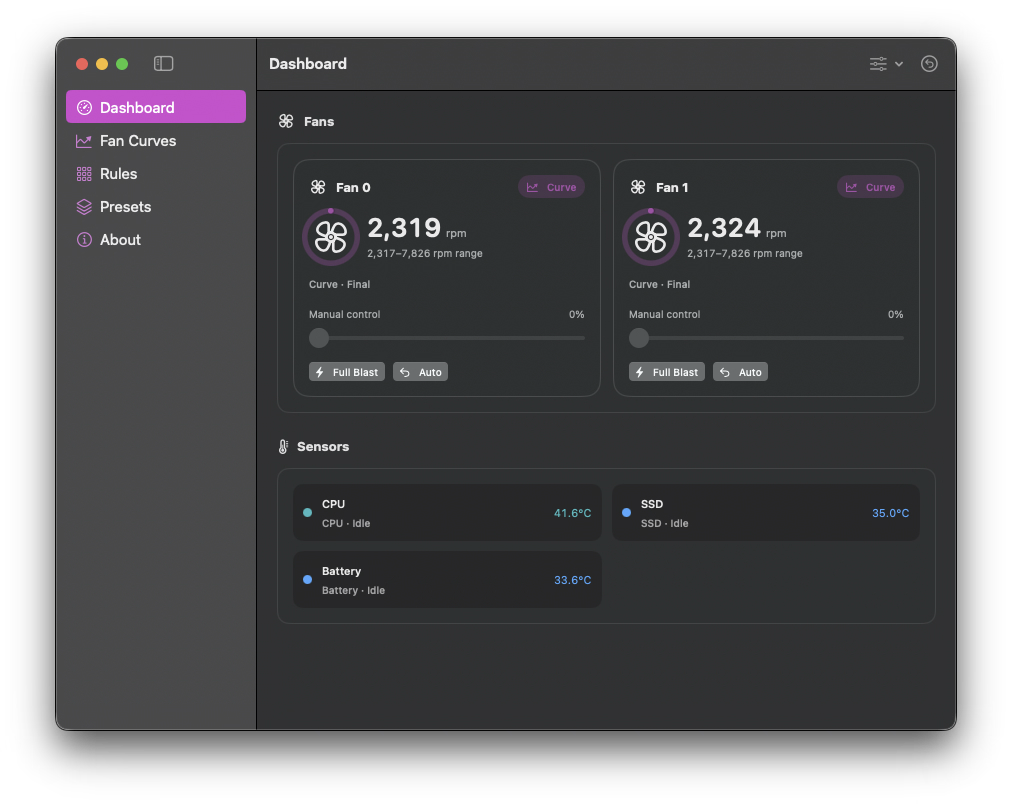
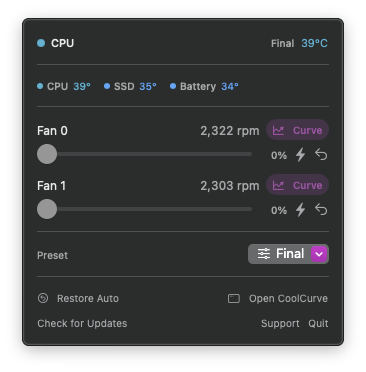
Check temperatures and change fan speed from the menu bar. Restore Apple’s automatic control when you want to hand it back.
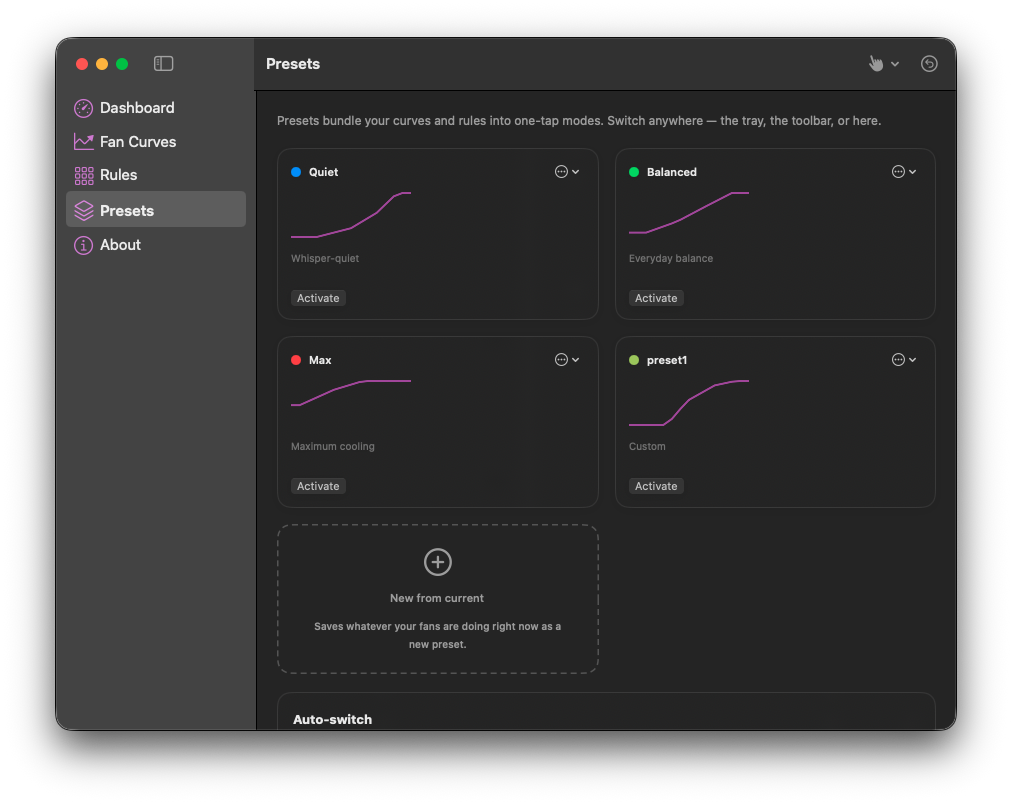
Switch between Quiet, Balanced, Max and your own presets. Save curves and rules together, with automatic preset switching for AC power and battery.
Shown above: The Presets view shows Quiet, Balanced, Max and a saved custom preset, with a preview of each curve.
Know what you keep
Try every available feature for 7 days. Choose a lifetime license for the extras you use.
Everything that stays free, plus:
Restore Apple automatic fan control stays available with or without a license.
Before you start
Requires macOS 13.0 or later. For Apple Silicon Macs. Fan control requires physical fans: a fanless MacBook Air has no fan speed to change. Available sensors and controls depend on your Mac.
Download and move CoolCurve to Applications. Temperature monitoring needs no helper approval. To change fan speeds, enable the fan-control helper when prompted in System Settings. Restore Auto remains available when you need it.
One-time purchase
Choose the number of Macs you use. Your license arrives at the email used at checkout.
7-day full trial One-time purchase, lifetime license License emailed instantly
Already own CoolCurve? Send my license again.
1 Mac
$9.99
Lifetime license for 1 Mac.
2 Macs
$15.99
Lifetime license for 2 Macs.
3 Macs
$19.99
Lifetime license for 3 Macs.
CoolCurve offers a 7 day full feature trial, no account required.
No, CoolCurve is a one time purchase with a lifetime license. There is no recurring charge.
A single CoolCurve license covers 1 to 3 Macs, depending on the plan you choose at checkout.
CoolCurve requires macOS 13.0 or later.
Open license recovery and enter the email you used at checkout. We send a private, single-use link to your licenses and active devices.
After the trial, you can keep using temperature and fan monitoring. A license adds automatic preset switching, fan curves, manual fan control, presets, sensor rules.
Requires macOS 13.0 or later. For Apple Silicon Macs. Fan control requires physical fans: a fanless MacBook Air has no fan speed to change. Available sensors and controls depend on your Mac.
Download and move CoolCurve to Applications. Temperature monitoring needs no helper approval. To change fan speeds, enable the fan-control helper when prompted in System Settings. Restore Auto remains available when you need it.
CoolCurve notes
Fan control software can only request speeds the Mac's own management firmware accepts, and the firmware keeps its protective veto. Where the real risk sits, which direction is harmless, and how the careful vendors design for the difference, with Apple's documentation carrying the claims.
/skipcheck is a Windows only launch parameter for Macs Fan Control that skips its Apple hardware check under Boot Camp. Where the vendor documents it, the exact command to run, why it does nothing on macOS, and what to try when it does not help.
Macs Fan Control, TG Pro, and CoolCurve compared row by row from each vendor's own published pages: pricing model, supported chips, control versus monitoring, what happens on quit, and the limits each vendor admits to, with every claim linked.