Check yourself before a call
Click the menu bar icon for a live preview. Pick the built-in camera, a USB webcam or an iPhone through Continuity Camera, and flip between the mirror and how others see you.
Preen for Mac
Check your framing from the menu bar before a call, or float your camera above every app while you record a demo. Preen gives you a live preview, a mirror and true view, snapshots and a system microphone mute.
From $6.99 once · 7-day full trial · macOS 14.0 or later
The download is open to everyone. No account needed. Check compatibility and setup
Put it to work
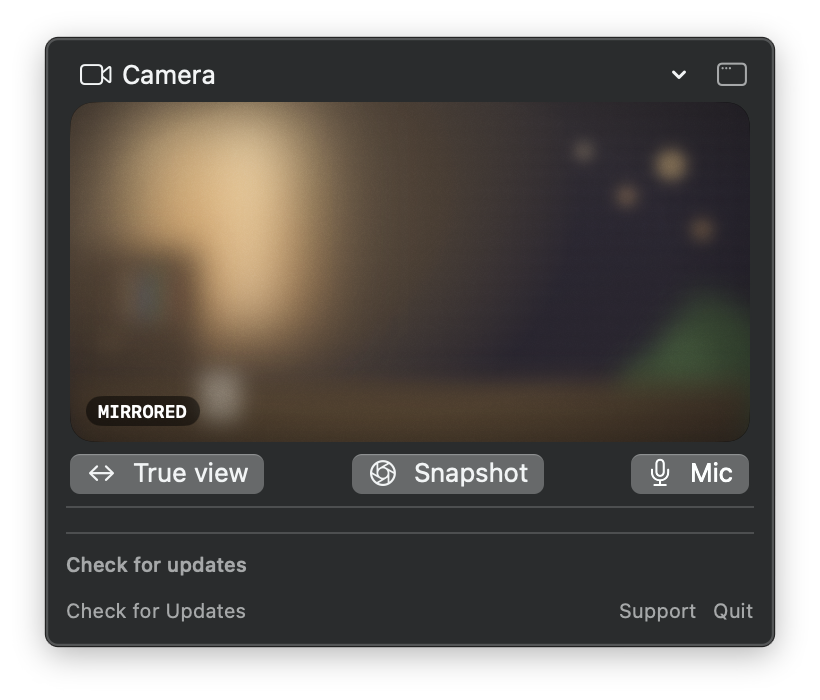
Click the menu bar icon for a live preview. Pick the built-in camera, a USB webcam or an iPhone through Continuity Camera, and flip between the mirror and how others see you.
Pop out the floating camera window and drag it to a corner. It stays above your apps on every Space and over full screen apps, and screen recordings capture it with everything else. Clicking it never takes focus from the app you are demoing.
Mute your Mac’s default microphone input from the panel, and save a still to Pictures with a copy on the clipboard.
Shown above: Preen’s menu-bar panel with a live camera preview and the True view, Snapshot and Mic controls.
Made for the daily case
7 days to try every feature. Requires macOS 14.0 or later.
Before you start
Requires macOS 14.0 or later. Works with built-in cameras, USB webcams and Continuity Camera. Preen does not record video itself: record with Shift-Command-5 or any screen recorder and the floating window is captured along with your screen.
Download and move Preen to Applications. Click the camera icon in the menu bar and allow camera access when macOS asks. The camera runs only while the panel or the floating window is open.
One-time purchase
Choose the number of Macs you use. Your license arrives at the email used at checkout.
7-day full trial One-time purchase, lifetime license License emailed instantly
Already own Preen? Send my license again.
1 Mac
$6.99
Lifetime license for 1 Mac.
2 Macs
$11.99
Lifetime license for 2 Macs.
3 Macs
$14.99
Lifetime license for 3 Macs.
Preen offers a 7 day full feature trial, no account required.
No, Preen is a one time purchase with a lifetime license. There is no recurring charge.
A single Preen license covers 1 to 3 Macs, depending on the plan you choose at checkout.
Preen requires macOS 14.0 or later.
Open license recovery and enter the email you used at checkout. We send a private, single-use link to your licenses and active devices.
The trial's features need a license to keep working.
Requires macOS 14.0 or later. Works with built-in cameras, USB webcams and Continuity Camera. Preen does not record video itself: record with Shift-Command-5 or any screen recorder and the floating window is captured along with your screen.
Download and move Preen to Applications. Click the camera icon in the menu bar and allow camera access when macOS asks. The camera runs only while the panel or the floating window is open.
Preen notes
Record your screen and your face at the same time on a Mac: the free QuickTime Float on Top method step by step, what Presenter Overlay does and does not cover, and a floating camera window that stays above your apps while you record a demo.
Reports since September 2025 share one shape: the iPhone vanishes from Mac camera lists wirelessly, works over USB, and comes back while another camera is plugged in. The quick checks, the desk Mac reboot trap, and the workarounds users say hold up, with every claim dated and attributed.
Hand Mirror's free one click check is genuinely good, which is why a reason to replace it needs to be specific. Quick Camera, Cam Dot, Rearview Mirror, Mirror Magnet, FaceScreen, Camera Preview and Preen compared by window model, microphone features and pricing, with a keep Hand Mirror verdict included.